The first trade always feels bigger than it looks from the outside. You can watch videos, read guides, and spend time looking around the platform, but the moment you are about to place something yourself, it suddenly feels more real.
That hesitation is normal. Most beginners are not confused by one single thing, but by the fact that several small actions need to come together in the right order.
The good news is that the process is usually simpler than it first appears.
Once you have gone through it once, it starts to feel much more familiar. Opening your first trade on MetaTrader 5 is really about understanding the sequence, not rushing through the screen and hoping everything is correct.
Start by making sure your account is connected
Before anything else, the platform needs to be properly connected to your trading account.
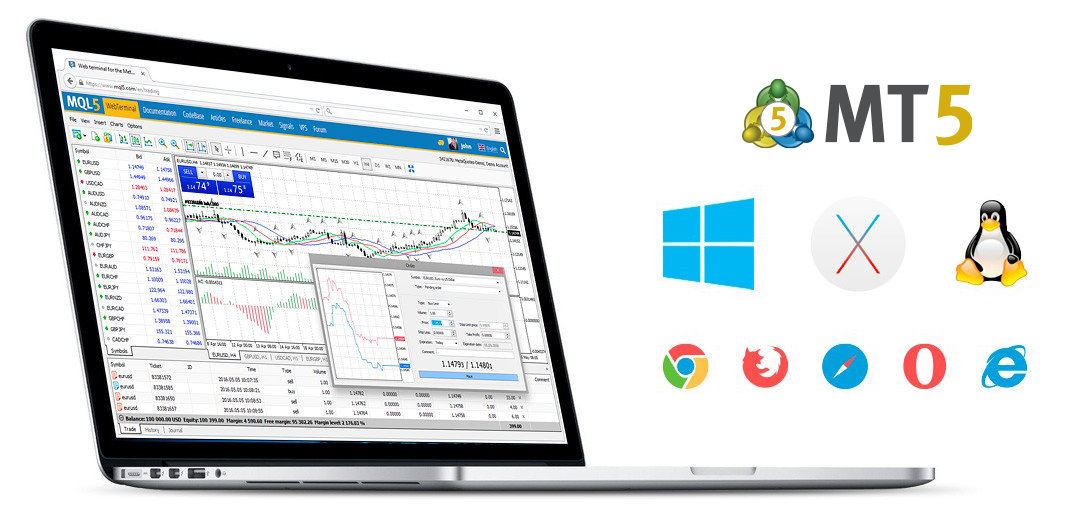
When you open the terminal, take a moment to check that prices are updating and that your account appears in the platform. If the market watch section is active and charts are moving, that is usually a good sign that everything is connected as it should be. If prices are frozen or nothing seems to be loading, it is better to sort that out first before trying to place anything.
This matters more than people think.
Choose the market you want to trade
Once the platform is working properly, the next step is choosing the instrument you want to trade.
This could be a forex pair, an index, a commodity, or something else available through your broker. Most people begin by selecting one market from the list in the market watch window. From there, you can either open a chart first or go directly to the trade setup. Opening the chart usually helps.
Open the order window carefully
This is the point where things start to feel more serious.
To place a trade, you open the order window by right-clicking on the chosen market and selecting the option to create a new order, or by using the new order button on the toolbar. Once that window appears, you will see the main details you need to complete before placing anything.
At first glance, it can look like a lot.
But really, you are only dealing with a few core choices. You need to confirm the symbol, choose your volume, decide whether you want to buy or sell, and, if needed, add stop loss and take profit levels. The rest can be understood gradually as you become more comfortable using MetaTrader 5.
Understand what you are confirming
This is where beginners benefit from slowing down.
Before clicking buy or sell, take a moment to understand what each part of the order window means. The symbol is simply the market you are trading. The volume is the size of your trade. The stop loss is the point where you want the trade to close if price moves against you beyond what you are prepared to accept. The take profit is the point where you want it to close if price reaches your target.
Place the trade and confirm it has opened
Once everything looks correct, you choose whether to buy or sell based on your intended direction.
After you click the button, the platform will process the order and, if everything goes through properly, the trade will appear in the toolbox or trade section at the bottom of the screen. That is your confirmation that the position is now open.
This is usually the moment where the platform starts to feel more real.
You are no longer just looking around or practising the layout. You have actually interacted with the market through MetaTrader 5, and that first step tends to remove a lot of the uncertainty beginners carry beforehand.
Closing the trade is also part of the first step
A first trade is not really complete until you understand how to close it. You can usually do this from the trade tab by selecting the open position and closing it manually.
Even if your trade has already reached its stop loss or take profit, it is still worth knowing where that action happens and how it looks on the platform afterward.
That familiarity helps a lot. Once you have seen the full cycle, from opening the order window to managing the trade and finally closing it, the whole process feels less intimidating.
What seemed like a big technical step becomes something much more practical and manageable.